
Leyla's laptop holds fourteen practice projects, and each one has its own node_modules folder of hundreds of megabytes — almost always with the same React inside. Murad suggests another way: "Let's put web, api and the shared packages into one repository, and let pnpm handle installing and linking." In this lesson you will learn how pnpm differs from npm, how a workspace is built, and how to use the code of one package in another without publishing it to npm.
Why pnpm
pnpm is a package manager for Node.js. The same package.json, the same npm registry, but a different way of storing files. It has three main ideas.
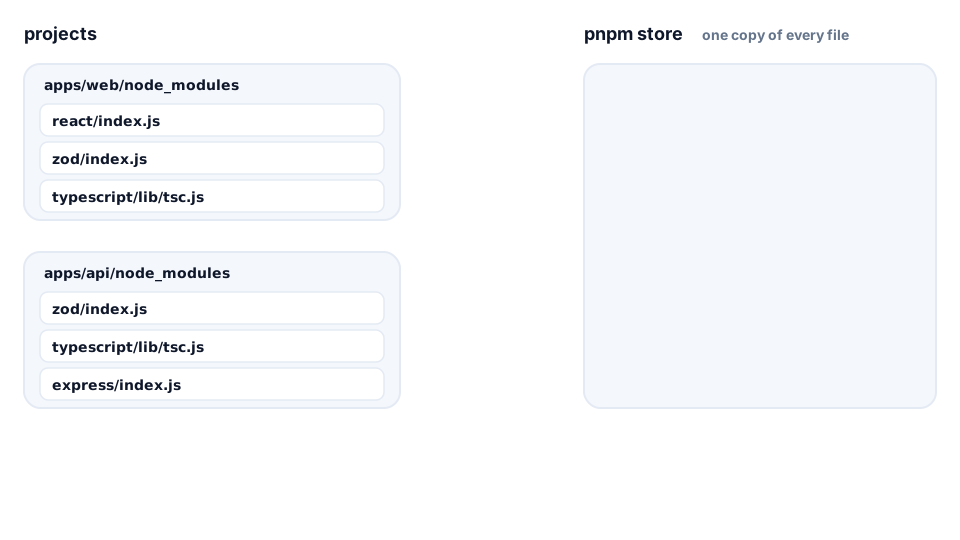
- A shared store. Every file of every package version lives on disk only once. Your project's
node_modulesdoes not copy the files, it connects them with hard links. A hard link is just another name for the same file: two addresses, one room. So a second project that uses the samereacttakes no extra space. - A strict
node_modules. pnpm puts into a project's folder only the packages from itspackage.jsonand hides the rest insidenode_modules/.pnpm. With npm, code sometimes imports a package nobody declared — it just "happened to be lying nearby". On another machine or in production such code crashes. pnpm catches the mistake right away. - Workspaces out of the box. pnpm can join several packages of one repository into a single installation. That is exactly what a monorepo needs.
💡 The store must live on the same disk as the project. A hard link cannot cross disks, so pnpm copies the files instead and the space saving disappears.
Installing pnpm
At the time of writing, the current version is pnpm 12. It is a standalone program: after installation it does not need Node.js (your projects still run on Node.js, of course).
# any OS (Node.js 22.13+ is needed only to run this installer)
npx get-pnpm

# macOS / Linux without Node.js
curl -fsSL https://get.pnpm.io/install.sh | sh -

# check
pnpm -v
On Windows the pnpm documentation recommends npx get-pnpm, because Windows Defender sometimes blocks the install script. The pnpm -v command prints the version — you will need it in package.json.
💡 Older guides say
corepack enable. Corepack shipped with Node.js from version 14.19 up to 24, and from Node.js 25 on you have to install it separately (npm install -g corepack). The pnpm installer is simpler.
A workspace: pnpm-workspace.yaml
A workspace is a repository in which pnpm sees several packages at once. All it needs is one file in the root that says where to look for them:
# pnpm-workspace.yaml (next to the root package.json)
packages:
  - "apps/*"
  - "packages/*"
Every folder inside apps/ and packages/ that has its own package.json becomes a separate package. Applications (apps/) are run and deployed to the internet; packages (packages/) are plugged into others. The root package.json describes the repository itself:
