
Laravel Dusk drives a real Chrome browser. Use it when a feature test cannot cover the behaviour: JavaScript, Livewire or Alpine components, modals and drag and drop.
Setup
composer require laravel/dusk --dev
php artisan dusk:install
php artisan dusk
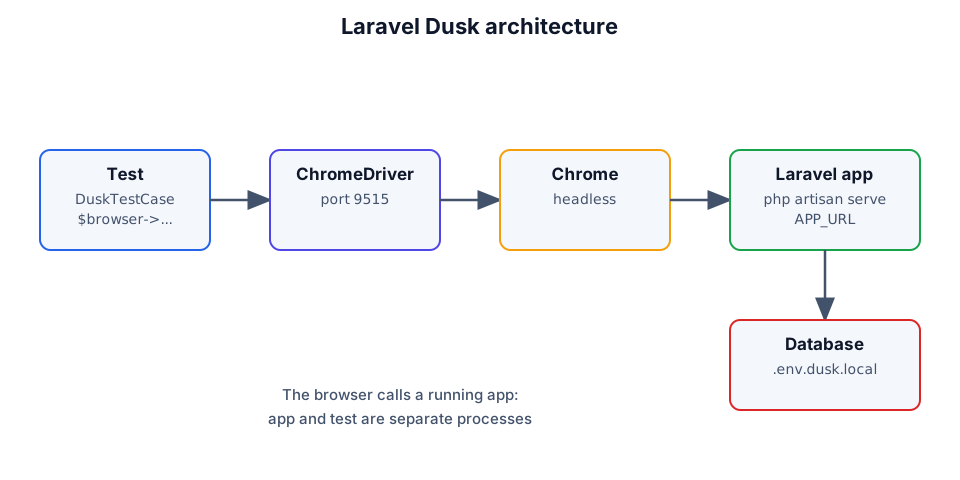
dusk:install creates tests/Browser and tests/DuskTestCase.php. Keep a separate .env.dusk.local with its own database and APP_URL; Dusk swaps it in while the tests run.
💡
php artisan dusk --filter=LoginTestruns one class andphp artisan dusk:failsreruns only the failed tests.
The first test
namespace Tests\Browser;

use Laravel\Dusk\Browser;
use Tests\DuskTestCase;

class LoginTest extends DuskTestCase
{
    public function test_user_can_log_in(): void
    {
        $this->browse(function (Browser $browser) {
            $browser->visit('/login')
                ->type('email', 'taylor@example.com')
                ->type('password', 'secret')
                ->press('Log in')
                ->assertPathIs('/dashboard');
        });
    }
}
browse() opens a browser and passes a Browser object. Every call returns the same object, so the steps read like a story. When a test fails, Dusk saves a screenshot to tests/Browser/screenshots and the console log to tests/Browser/console.
Selectors
Prefer a dusk attribute over CSS classes. @save-button selects [dusk="save-button"].
// <button dusk="save-button" class="btn btn-primary">Save</button>

$browser->click('@save-button')
    ->assertSeeIn('@toast', 'Saved');